Concept to Deployment: How This Site Was Built with AI
The site you are reading was designed, written, built, and deployed through an AI-assisted pipeline — by someone who does not hand-code Next.js. This is that journey, and this page is the proof.
The Short Version
I am not a developer. I know some 'stuff', but that is it. A long time ago I did some programming in Java, and a multitude of other things like C# (am I dating myself?)
I definitely don't fully understand the Next.js stack. The framework this site runs on. And yet here it is: a live, server-rendered application with multiple pages, interactive components, and an automated deployment pipeline.
That gap, between not knowing the framework and shipping a real application is the entire story. It was closed not by learning to hand-code everything, but by assembling a pipeline of tools, each doing the part it does best, with AI as the connective tissue. WORKFLOW IS EVERYTHING. Once you have that, then the possibilities become endless.
Click through the stages below to see how the work moved from idea to live site.
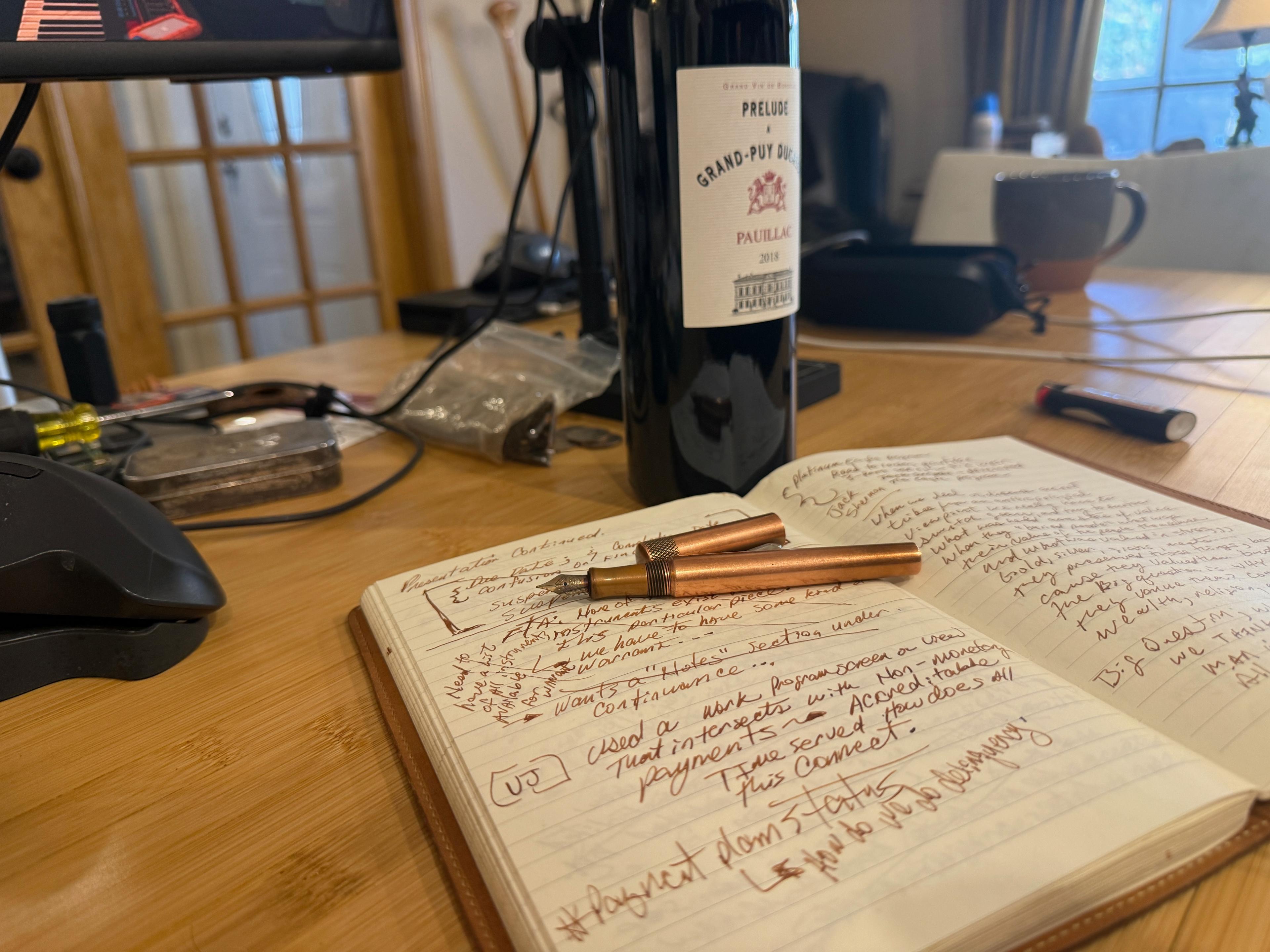
Every project starts with a pen and a pad of paper. AI can accelerate the work, but it cannot replace the human spark... the creativity, judgment, and nuance that decide what is worth building in the first place.
Stage 1 — The Analog: Humanity Starts Here
The Journey Starts Away From the Keyboard:
Every project starts the same way. A fountain pen and a Midori notebook. No screen, no machine, no notifications. Just the idea and the hand that's holding it. I can't emphasize this enough.
I have notebooks in all shapes and sizes, but this is where my best thinking happens. Deliberately away from the tools. There's something about the friction of handwriting that forces clarity. A person can't type faster than they can think, but a person can absolutely type faster than they should.
Cavemen painted on walls. Monks illuminated manuscripts. Every era of human creativity has had its analog act of inscription before the idea became something the world could see. Mine is a fountain pen on good paper.
This step matters more than any tool in the pipeline. AI can accelerate everything that comes after it — but it cannot generate the human spark that decides what's worth building in the first place. That still has to come from somewhere deeply human.
Stage 2 — Miro: Think Before You Build
Capture Your Strongest Ideas.
This is where personality begins to align with the alien — the first connection between idea and machine.
Ethan Mollick in his book Co-Intelligence discusses at length his ideas on what this means. For me, I refer to it as a way to allow machine-built mechanisms to aid and abet human endeavor. Obviously, my approach or definition can broadly be applied to every tool ever invented, but in this case, we are creating something very different in the mindscape of AI.
I mentioned, workflow is everything, and it really is. I reached for the right tools for what I need those tools to do. I am a writer. So my workflow will be different than a UX/UI professional, or a DEV. Each human brings their own nuanced skill-sets to the game. Every human 'aligns with the alien' in a different way. Meaning a different workflow. For many Miro is a great 'next step' for anyone. It definitely made the most sense for me. Here I was able to capture my strongest ideas. You can see those basic ideas at, Building The Drilldown
This Miro actually started out as something else, but as I got further in the project, I thought, "What the hell! Let's build a project." Obviously the project grew faster than I could update the Miro, but this is where I began visualizing how I wanted everything to work. The concept took shape: the structure of the site, the kinds of reports it would hold, and most importantly how I wanted the workflow to... well... work. Everything as a visual map.
The reason this matters is leverage. A decision that takes thirty seconds to change on a whiteboard can take hours to change once it is baked into code. Doing the thinking first meant everything downstream had a target to aim at.
Stage 3 — Claude Design: A Design System
Look and Feel
Before any pages were built, the site's visual identity was established as a design system using Claude Design — the typography, the color palette, the spacing scale, and the styling rules that everything else inherits.
I started from scratch. In addition to not being a developer, I am also not a UX/UI professional. I have a broader sense of aesthetics, and I knew I needed at least an introductory design system for this project.
Claude Design gave me three design patterns based on the colors I wanted and the typography. It came together rather quickly. A few prompts, then a decision.
This is the step that makes the site feel like one publication rather than a stack of unrelated pages. Defining the palette once; the near-black canvas, the gold accent, the editorial typefaces. This means every new page and component looks coherent automatically, and the AI building those pages has a clear set of rules to follow instead of inventing styles on the fly.
Stage 4 — Obsidian: A Durable Home for the Work
Research and writing happen in Obsidian, in plain text. Sources accumulate, threads connect, and the report-writing workflow itself lives here as a repeatable process.
Keeping content in plain text, rather than locked inside a website editor or a document tool, means it stays portable. The same words can become a static HTML report, an MDX page, or anything else, without being rewritten.
More than this, I enjoy writing in Markdown, and Obsidian allows me to connect thoughts, ideas and references. After using a variety of tools, Obsidian seemed the most natural, especially since MDX utilizes markdown at its core.
Stage 5 — Claude Desktop: From Research to Report
The bottleneck in publishing was never having ideas. It was the distance between an idea and a finished, presentable thing. AI collapses that distance.
This is where AI first does heavy lifting. Claude Desktop takes the raw research and helps turn it into a finished piece; synthesizing scattered sources, drafting and refining the prose, and pressure-testing the argument.
I started off with standalone HTML pages, which Claude Desktop and In-Browser helped with. It is remarkably good at creating those 'Bespoke' pages. It was an experiment in fun, that I shared with some of my investment group.
After creating several of these 'standalone' pages, I decided on hosting it. Seemed MUCH simpler than shipping individual pages to everybody. Now I just copy a link and send through a messenger group.
Again, decisions had to be made. AWS seemed the right course of action, and Claude suggested something I never knew existed. MDX. Write in Obsidian where my 'voice' is preserved, then published through markdown.
Crucially, the human stays in charge of judgment. What is true, what matters, what to conclude. The AI accelerates the production, not the thinking.
Stage 6 — Claude Code: Where Concept Becomes a Live App
This is the stage that makes the whole thing possible for a non-coder — and it is worth being concrete, because this very page was built in it.
Where Claude Desktop produces content, Claude Code works inside the codebase. It reads and edits the project's files directly, runs the build to catch errors, fixes them, and handles version control and deployment. The result is that I can describe what I want in plain language and watch a real Next.js application take shape, without knowing the framework cold.
Just as importantly, this is a collaboration — not a hand-off to a black box. The research, the prose, and the judgment about what the report should say all come from the human side, written with Claude Desktop in Obsidian. Claude Code turns that finished material into a working, styled, interactive page, and we shape it together in a tight loop: describe a change, watch it render live, refine. The report you are reading was constructed exactly that way.
To make this tangible: in a single working session, this site went from a half-finished navigation (several links led to "page not found") to a complete, deployed application. Here is what that one session produced:
Stage 7 — GitLab, Amplify, and Route 53: The Last Mile
Copy-Upload-Paste. I wanted to get away from that workflow to something easier. This is where Claude Code really shines.
I was already using this part of the workflow, but it was all manually driven. I would upload the stand-alone html to the right place in my repository, then pushed the commit. Manual processes are how I first started learning web-site design, but this workflow makes so much more sense. Automated, simple, easy. It was not long before I was able to tackle the other side of the workflow that made this almost too easy. Research with Claude Desktop. Write in Obsidian. Preserve my voice. Have Claude Code create an MDX file for me. Wash, Rinse, Repeat. This makes so much more sense.
The final stage is the one that makes it real for the world. The code lives in GitLab. Pushing a change there triggers AWS Amplify, which builds the Next.js application and deploys it as a server-rendered site. Route 53 points the domain - thedrilldown.info - at it.
The important property here is automation. There is no manual "upload the site" step. The act of saving work is the act of deploying it, which removes an entire category of friction and error.
Why This Matters for an Organization
The lesson is not "AI replaces developers." It is that the path from concept to deployment has gotten dramatically shorter and more accessible.
Hand-coding every piece is no longer the only road from idea to live product. For teams, that means faster prototypes, lower barriers to shipping, and more people able to turn an idea into something real.
The proof is the page you are reading. It was conceived, written, built, and deployed through exactly the pipeline it describes.
More Juice From the Squeeze
The pen and a pad of paper. It all started there.
Million dollar ideas began on a bar napkin. We've all heard the stories — and they're true because the best thinking happens before the machine gets involved. The pipeline this site runs on is powerful precisely because it starts somewhere deeply human and stays that way throughout.
I believe this is what it means to 'align with the alien'.
AI will keep changing what's possible. But everything still begins with the napkin. Maybe a glass of wine.
This is a living document — the first report built natively as an interactive MDX "journey" on The Drill Down.
My AI Transparency Can Be Found on my About Page